How a Disk Actually Fails
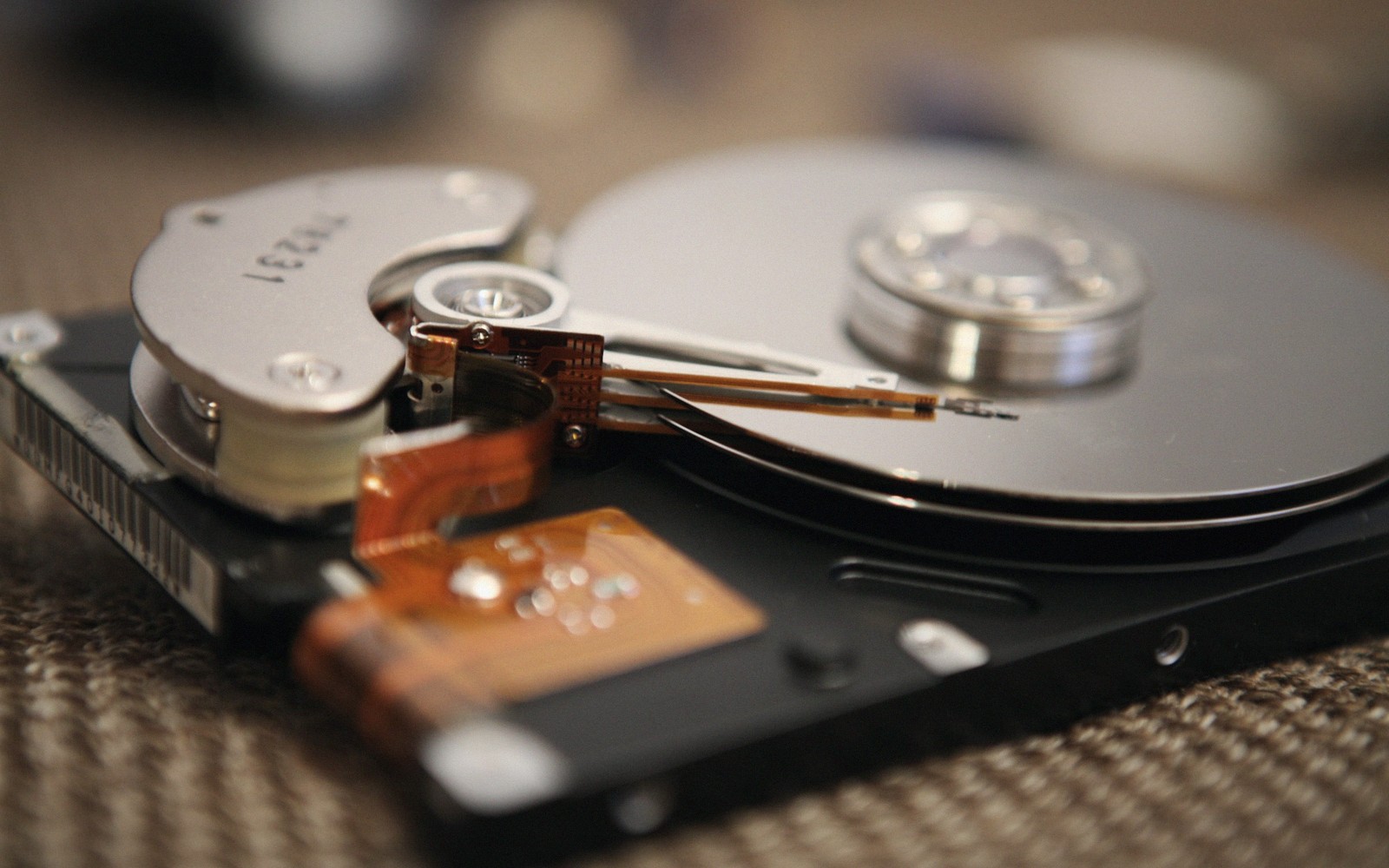
Rarely all at once. The order of events, and where the warnings appear.
01Almost never all at once
Most people imagine a disk failure as a sudden event — one moment it works, the next it does not. The drive clicks, the computer stalls, the folder is gone. That version of events does happen, but it is the minority. The more common story is slower and, if you know what to read, more legible. A drive usually announces its decline weeks or months before it stops responding. The tragedy in most data-loss cases is not that there was no warning. It is that the warning was there and nobody was watching.
Understanding the sequence helps. Disks do not fail uniformly, and the type of failure determines both how much notice you get and what a recovery attempt is worth.
02The mechanical story: a slow negotiation between physics and tolerance
A spinning hard drive is a precision instrument operating under tolerances most people never think about. The read/write heads float nanometres above the magnetic platters on a cushion of air generated by the spinning disk itself. At that distance, a particle of cigarette smoke — let alone a fingerprint — is an obstacle of significant size. The drive is sealed at the factory and the internal atmosphere is carefully controlled, but time and heat and vibration still accumulate.
The classic failure arc for a mechanical drive starts not with the heads but with the sectors. Magnetic domains on the platters can weaken gradually; when a domain becomes unreliable, the drive's own firmware detects a read that required too many retries and marks the sector as pending. It has not yet failed completely — the firmware is recording a suspicion, not a verdict. If a subsequent write to that location confirms the problem, the drive reallocates the sector: it substitutes a spare from a reserved pool, notes the mapping, and carries on. This process is entirely silent unless something is watching for it.
That something is SMART — Self-Monitoring, Analysis and Reporting Technology. Most drives have kept running tallies of reallocated sector counts, pending sectors, uncorrectable errors, and a handful of other counters since the late 1990s. The attributes that matter most are the ones tracking those reallocations and pending sectors: once either counter starts climbing, the drive is telling you plainly that it is working around physical damage. The counters are not a prediction engine — a drive can accumulate a handful of reallocated sectors and stabilise for years, or it can begin failing catastrophically within days. What the counters provide is an alarm, not a schedule.
While sector-level decay is happening, the drive may also begin struggling with head positioning. The actuator arm that sweeps the read/write heads across the platter is controlled by a voice-coil motor, and it must position the heads within a tiny tolerance every time. Wear in the bearings, changes in the actuator's magnetic assembly, or early damage to the servo tracks that guide positioning can all cause the head to overshoot and retry. The symptom the user hears is clicking — a rhythmic or irregular knock as the head resets, re-seeks, and tries again. That sound means the drive is not successfully reading its own positioning information. It is a late warning. If a drive is clicking, stop immediately: every additional read attempt on a head that is already struggling risks a full contact event — the head touching the platter and scoring the magnetic surface.
- One sector, one bad readThe drive retries, fails, and marks the sector pending. Nothing visible has happened yet.
- On the next writeThe sector is retired and a spare is mapped in its place. The reallocated count moves.
- As the surface degradesReads slow down while the drive retries; the pending count stops returning to zero.
- When the spares run lowErrors stop being absorbed and start reaching the filesystem as unreadable files.
- At the endUncorrectable errors, then a drive that no longer enumerates at all.
03The electronic story: faster and less predictable
Not every failure is mechanical. The controller board — the printed circuit attached to the drive's underside — handles the interface between the mechanical components and the host computer. It contains firmware, a processor, and volatile memory that stores calibration data loaded from a hidden area of the platters at startup. A fault on the controller can kill a drive that has perfectly intact platters: the mechanics work, but the intelligence that runs them does not.
Electronic failures tend to be abrupt. A power surge, a failing power supply unit delivering unclean voltage, or simply the long-term accumulation of heat stress on components can take out the controller with little advance notice. SMART data may be completely clean up to the moment of failure — the counters had nothing to report because the platters were fine. This is one of the reasons SMART, useful as it is, does not catch everything.
For SSDs, the failure modes are structurally different. Flash cells wear out through a counted number of write cycles; as cells near the end of their rated life, the drive's wear-levelling firmware works harder to distribute writes and retire exhausted cells. The drive may become read-only before it becomes completely unresponsive — a feature, not a coincidence, because the engineers who designed it wanted data to survive long enough to be copied off. But wear-levelling is not the only failure path. Controller faults, firmware bugs, and sudden power loss at the wrong moment can all cause an SSD to fail fast and without warning. An SSD that loses power mid-write can corrupt the data structures that the file system relies on to locate files at all.
Every stage above is survivable with a current backup, and few of them are survivable without one. The warnings are real; they are just easy to not be looking at.
04Where the warnings actually appear
The warnings from a failing drive surface in several places, and most of them require you to be looking.
SMART counters are the first layer. Any background monitoring tool that polls SMART data and alerts when certain attributes cross a threshold will catch the early-stage story — the rising reallocation count, the appearance of pending sectors, the growing uncorrectable error count. Without monitoring, you see nothing until the drive misbehaves at the application layer.
The second layer is the operating system's own logs. On Linux, the kernel logs to the system journal, and storage-related errors — read failures, timeouts, I/O errors returned to a filesystem — appear there. On macOS and Windows, equivalent logs exist, less prominently surfaced. A drive that is failing gradually often writes to those logs days or weeks before a user notices anything wrong. The user's experience is a slight slowdown, a file that takes longer than usual to open, a copy operation that stalls and resumes. These are dismissed as "the computer being slow." They are the drive negotiating with bad sectors.
The third layer is the file system. Some file systems are quieter about damage than others. FAT32 notices almost nothing by itself; NTFS journals its metadata and can detect when a write did not complete, but it does not checksum file data. ZFS and Btrfs go significantly further: both store checksums of the actual data, so a read that returns corrupted bytes can be detected rather than silently passed to the application. A file system that can detect corruption is not the same as a file system that can always correct it — but detection is the difference between knowing you have a problem and unknowingly opening a silently corrupted file for months.
The fourth layer is human observation. Drives that are spinning up slowly, drives that feel unusually warm, arrays that show a degraded status, systems that take longer to boot — these are signals that a careful operator notices. Most of us are not careful operators until something goes wrong.
Controller faults, firmware bugs, and sudden power loss at the wrong moment can all cause an SSD to fail fast and without warning.
05The moment that matters most
When the warnings finally become obvious — the drive takes thirty seconds to respond, the operating system reports I/O errors, the folder simply does not appear — the instinct is to act immediately. To run a repair utility. To copy off the most important files first and then deal with the rest. Both instincts are wrong.
The correct first move is to stop writing to the drive entirely. Every write operation, even an incidental one from the operating system caching or logging, risks landing on a sector the drive can no longer reliably handle. The second move is to image the entire drive before attempting any recovery: a sector-by-sector copy that captures everything including the damage, leaving the original untouched. Only then do you work from the image. If a drive is clicking, or if I/O errors are appearing consistently, those two steps become urgent rather than merely advisable.
There is also a point past which amateur tools make the situation worse, not better. Running a file-system repair utility directly on a drive with reallocating sectors is risky, and is only reasonable on an image; running one on a drive with a failing head assembly, hoping it finishes before the head fails completely, is a gamble with your only copy. Knowing when a job requires a professional cleanroom matters as much as knowing what SMART attributes to watch.
The full arc — from the first reallocated sector to the last readable file — usually takes longer than people expect. The window for action is real. The drives that lose data permanently are overwhelmingly the ones where nobody was watching and nobody acted in time.